
Useful tips
UPS for home: how to choose an uninterruptible power supply for an apartment in 2026


UPS for home has long ceased to be an “office box under the table” and has become a practical solution for apartments, private houses and small home networks. When the power suddenly disappears, routers, fiber optic terminals, computers, TVs, boilers, video surveillance systems and other equipment that does not like sudden outages suffer. That is why uninterruptible power supply for the apartment in 2026, this is not a luxury, but an element of basic energy independence.
The situation in the power system has forced many homeowners to take a different look at backup power. If earlier UPS once associated only with PCs, now it is chosen for the Internet, heating, lighting, security systems and even for some household appliances. But the choice has become more complicated: there are line-interactive models, online UPS, inverter solutions on the market, Mini UPS for routers, UPS with external batteries and hybrid systems. A mistake in selection is costly: either the device will not pull the load, or the battery will drain too quickly, or the equipment will receive poor-quality voltage.
What is a UPS and why is it needed at home?
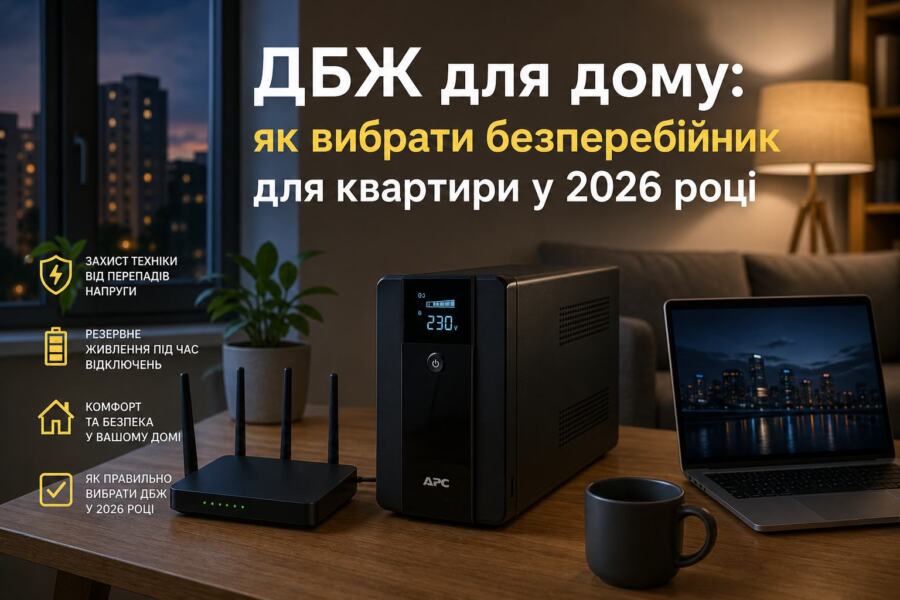
UPS — is an uninterruptible power supply that provides electrical power to equipment during a power outage or serious voltage dips. Its main task is not just to “give light for a few minutes,” but to protect equipment from emergency shutdowns, voltage surges, and short dips.
For an apartment most often UPS used for the following tasks:
- router, ONU/fiber optic terminal, Wi-Fi mesh — so that the internet does not disappear;
- computer, laptop, monitor — for correct completion of work;
- gas boiler, circulation pump — in private houses and some apartments;
- video surveillance, alarm system, intercom;
- low consumption lighting — for example, LED strips or individual lamps.
In practice ups for home often chosen not for “all at once”, but for critical consumers. This is the right approach: the less load, the longer autonomy and lower system cost.
What are UPSs: briefly and to the point
To choose uninterruptible power supply for the apartment, it is important to understand the main types of devices. They differ not only in price, but also in the quality of the output voltage, switching speed and compatibility with various equipment.
1. Backup (off-line) UPS
The simplest and cheapest option. In normal mode, the equipment is powered by the network, and during a power outage, the UPS quickly switches to the battery. This option is suitable for simple consumers: a router, a PC, a monitor. The disadvantage is not always the ideal voltage form and protection against strong network dips.
2. Line-interactive UPS
The most popular compromise for the home. They stabilize voltage better than backup models and are well suited for an apartment where there are frequent dips. If the house has a “weak” network, this type is often more practical than the cheapest UPS.
3. Online UPS
This is a higher-class solution. They constantly convert energy, giving a stable voltage quality at the output. Such models are especially useful for sensitive electronics, servers, expensive network equipment, as well as for boilers, if the manufacturer allows their use. The obvious minus is the higher price and actual energy consumption.
4. Mini UPS
Compact UPS for routers, ONUs, cameras and other low-power equipment 12 V, 9 V or 5 V. This is a very convenient format when you need to save the Internet for a few hours without a large box and a loud fan. For an apartment, this is one of the most practical options.
5. Inverter + battery
If you need the real thing backup power not only for the router, but also for several lines in the apartment, sometimes it is better to take a separate inverter with a battery. This is more flexible than a classic UPS, but requires proper installation and calculations.
The main parameters to look at when choosing
The main mistake buyers make is to focus only on the price or “to have 1000 VA.” In fact, several parameters are important, and each of them affects the operation of the system.
| Parameter | What does it mean? | What to look for at home |
|---|---|---|
| Power | How much load can a UPS power? | Always count in Tue, not just in VA |
| Battery capacity | Determines the duration of battery life | A small capacity is enough for a router, a much larger capacity is needed for a boiler |
| Output voltage shape | Pure sine, sine approximation, etc. | Better for boilers and sensitive equipment pure sine |
| Switching time | How quickly the UPS switches to battery | Minimum time is desirable for PC and router |
| Charging type | How quickly the battery recovers | Important if outages are frequent and long |
| Battery compatibility | Does it support AGM, GEL, LiFePO4? | For modern systems it is often more profitable LiFePO4 |
If needed ups for home specifically for the boiler, pay attention to the sine shape. Some circulation pumps and boiler electronics do not work well with the “stepped” shape, they can buzz, overheat or even fail.
How to correctly calculate power
The calculation starts with a simple list of devices and their consumption. You don’t need to take the numbers “by eye.” It’s better to look at the equipment’s passport or measure the actual consumption with a wattmeter.
The algorithm is as follows:
- Write down all devices that need to be powered during a power outage.
- Find their power in Tue.
- Add up the values with a margin 20–30%.
- Check whether the UPS can withstand this in terms of power and starting currents.
- Estimate your desired battery life.
For example, if you need to power an apartment:
- router — 12 W;
- ONU/terminal — 8 W;
- laptop — 65 W;
- LED lighting — 20 W.
Together it comes out close 105 W. With a margin, it is worth focusing on a UPS with a load of at least 150–200 W. If you also want a boiler, the values can increase to 300–600 W and above, depending on the model.
Important to remember: designation 1000VA does not equal 1000 W. The real active power is often lower. This is why many people buy a “supposedly powerful” UPS, but it does not pull the required load.
How long will the UPS work without a network?
The runtime depends not only on the battery capacity, but also on the load consumption, UPS type, conversion losses, and battery condition. The formula is simplified as follows: the more watts the equipment consumes, the faster the battery drains.
Approximately:
- router + ONU can operate from a small Mini UPS from 4 to 12 hours;
- computer + monitor — often only 10–30 minutes on a standard UPS;
- boiler with an external battery it can work from several hours to a day;
- a system with an inverter and a large battery is able to provide almost full backup power apartments.
A common mistake is to buy a powerful UPS but leave a standard small battery. In this case, the reserve is only “on paper.” If outages last for hours, either a larger battery capacity or a different system architecture is needed.
Which battery is better: AGM, GEL or LiFePO4
The battery is the heart of the entire system. It is what determines how useful your uninterruptible power supply for the apartment during a real outage.
AGM — a classic, affordable and common option. Suitable for inexpensive solutions, but does not like deep discharges and has a limited resource.
GEL — usually tolerates cyclic operation better than AGM, but charges more slowly. A good choice if you need stable operation, not maximum compactness.
LiFePO4 — a modern and very practical solution for home systems. It has a high cycle life, tolerates regular discharges well, is lighter than lead-acid counterparts and is more effective in the long term. If active backup power, this type often turns out to be the smartest.
For domestic use, it is worth considering:
- AGM — cheaper at the start;
- GEL — compromise between price and resource;
- LiFePO4 — more expensive, but more profitable in the long run.
Mini UPS or large UPS: which is better for an apartment?
For the Internet and small electronics, it is often enough Mini UPS. It is compact, quiet, economical and can power a router, ONU or surveillance camera without unnecessary complexity. If the main goal is not to lose connection during a power outage, this is a great solution.
Full-fledged UPS for home needed when necessary:
- power the PC and monitor;
- ensure the operation of the boiler;
- protect expensive devices from unstable voltage;
- have a reserve not for minutes, but for hours.
It's convenient to think like this: Mini UPS — for communications and weak consumers, and a full-fledged UPS — for critical equipment and larger loads. In many apartments, the best solution is a combination: a separate Mini UPS for the Internet and a larger uninterruptible power supply for a computer or other equipment.
Typical mistakes when choosing an uninterruptible power supply
Below are the most common mistakes that can be avoided at the purchase stage.
- Focusing on VA only. We need to look at the real cotton characteristics.
- Ignoring the sine shape. This is critical for boilers and some equipment.
- Underestimation of starting currents. A pump or compressor may consume significantly more for a short time.
- Battery too small. The reserve is only enough for a few minutes.
- Wrong battery type. Not every UPS works properly with LiFePO4 without appropriate settings.
- Lack of grounding. For some equipment, this is a matter of safety and stability.
- Connecting everything in a row. You don't need to power a heater, kettle, or washing machine through a UPS.
Another mistake is to install the UPS in a closed cabinet without ventilation. Under load, the device and battery heat up, and overheating reduces the service life and can be dangerous.