
Useful tips
Surveillance cameras without the Internet: how to ensure error-free offline recording


Surveillance cameras without the Internet are not a «cut-down» solution, but a fully working scheme, if you choose the right architecture, power supply and recording medium. For a private house, apartment, warehouse, shop or workshop, offline recording is often even more reliable than cloud services: the video remains in place, does not depend on the provider, and access to the system is not blocked due to a router failure.
The main principle is simple: the camera must see the event, stably store the archive and not lose data during power outages. For this, they use recording to a memory card in the camera, local DVR or hybrid circuit with backup power. Errors usually occur not in the camera itself, but at the installation stage: weak power supply, incorrect card, overheating, lack of protection against power failure.
The question "does a DVR need internet?" is often asked. For local recording - no, it is not required. The internet is only needed for remote viewing, push notifications, cloud copies or connecting to a mobile application outside the facility. If you just need to store video and have access to it on site, standalone video surveillance for the home works without an external communication channel.
In a store or warehouse, a system is sometimes installed that works for weeks without the Internet, and access to the archive is carried out from a local monitor or laptop. In everyday life, this is especially convenient where the connection is unstable: in a summer house, garage, at a remote facility, in a small service. In such conditions, it is not "smart" functions that are important, but predictability and energy independence.
When can the camera work without the Internet?
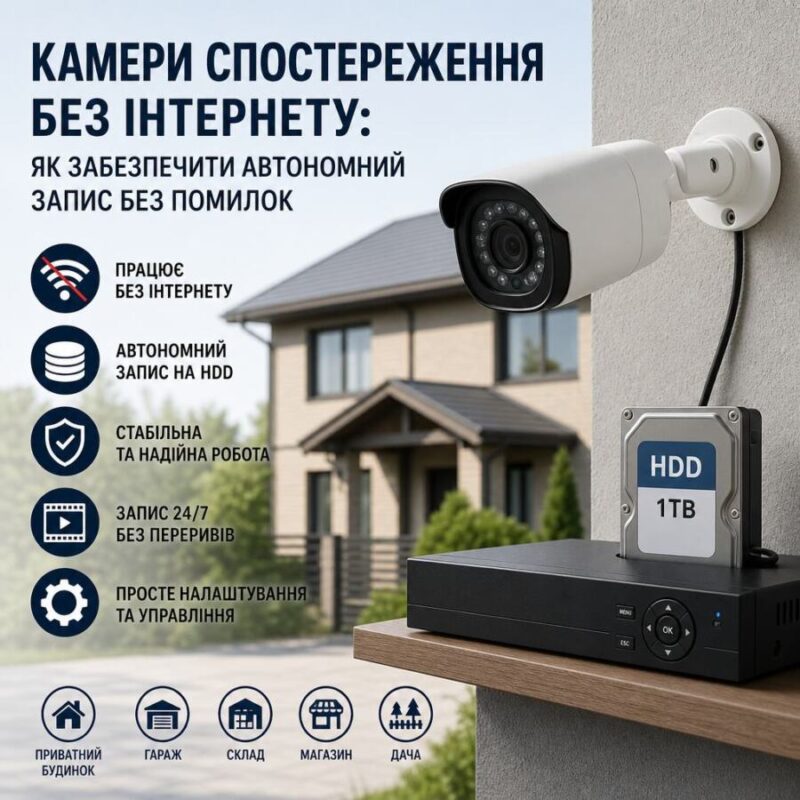
The camera does not require internet to the shooting process itself. It only forms a video stream. Then this stream is either written to the memory card in the camera, or transmitted to the recorder, or simultaneously duplicated in both places. That is, recording and transmission are different functions.
There are three main options for autonomous operation. The first is an IP camera with a microSD, which stores the archive on its own. The second is a system with an NVR/DVR recorder, where the camera transmits video via cable or network to a local network without access to the Internet. The third is a combined option, when the camera writes to the card and simultaneously sends the stream to the recorder. This is the solution that is least prone to material loss.
When there is no internet, remote functions will not work: viewing from a smartphone, motion notifications, remote saving of clips. But local recording is saved if there is power and the media is working. This is important for objects where the event is captured, not an "online picture".
Practical example: two cameras are installed at the entrance and two at the perimeter in a private house. The router went down due to a line failure, but camera with microSD and recorder on UPS continued recording. After power was restored, the archive remained complete. In this configuration, the lack of Internet does not affect security.
What type of system to choose: memory card, recorder or hybrid
Recording to a memory card in the camera is suitable for small objects and point areas: entrance door, yard, parking lot, cashier area. The advantage is a minimum of equipment and easy installation. The disadvantage is that the card is a consumable item and has a recording resource, as well as a limited archive volume.
A local DVR is appropriate where multiple cameras and a longer archive are required. This is typical autonomous video surveillance for home or business, when 4 to 16 channels are installed at the facility. A HDD recorder tolerates continuous recording better than microSD, and is easier to scale.
The hybrid scheme is the most practical. The camera records the event to the card, and the NVR duplicates the stream. If the card fails, the archive remains on the hard drive. If the recorder is unavailable, the camera still has a local copy. For high-risk facilities, this is the best option.
| Decision | Advantage | Limitation |
| microSD in the camera | Easy installation, autonomy | Smaller resource, limited archive |
| Recorder | Longer recording, zooming | Requires a separate location and power supply |
| Hybrid | Double video protection | Higher cost, more complicated installation |
For an electronics store, workshop, or office, a typical solution is a 4 MP camera with a recorder and local storage. For a country house, one or two cameras with a memory card are enough if you need to monitor the entrance and yard without unnecessary infrastructure.
What to look for in power supplies and cables
The most common reason for recording loss is not the internet, but the power supply. The camera may be fully functional, but if the voltage drops or the power supply is weak, it reboots and loses the archive segment. For most systems, use 12V power supply or PoE, when both data and power go through one cable.
If a separate adapter is used, it should have a current reserve. For example, for several cameras, it is better not to put the unit «back to back». Voltage sag on long lines is a typical installation error. At a distance of 20–30 m, a thin cable can already cause noticeable loss, especially in the cold season.
For Ethernet lines, it is worth considering the quality of the cable and the length of the route. The standard recommendation is not to exceed 100 m for one Ethernet line without additional active equipment. If the object is larger, it is better to install a switch or switch to another topology. For analog systems, it is important to correctly select the cross-section of the power cable and not mix weak and powerful consumers in one circuit without calculation.
For autonomous operation, it is useful to install an uninterruptible power supply. Recorder, switch, PoE injector and the router can be combined into one UPS. Then during the disappearance 220V The system will continue recording instead of stopping at the moment of an incident. This is especially important for entrance cameras, where events often occur during power outages.
Writing to a memory card: pros, cons and common mistakes
Recording to a memory card in a camera works well if the card is of good quality and designed for continuous rewritable operation. A regular "flash" card from a consumer electronics store often cannot withstand cyclic recording and starts giving errors after a few months.
You need a card with a resource for video surveillance, preferably High Endurance format or similar class. Not only capacity is important, but also recording stability. For a 4MP camera that writes continuously, 64–256 GB is a typical range, but the actual archive size depends on the bitrate, codec, and motion settings.
A common mistake is to use the maximum card without checking compatibility. Not all cameras work correctly with large volumes or old file systems. Another mistake is to remove the card without properly finalizing it or to format it not in the camera, but in the computer. This reduces the resource and increases the risk of bad sectors.
For a standalone system, it is better to set up cyclic overwriting so that the camera does not stop recording when the media is full. It is also useful to check whether the device supports motion recording. This saves space, but you should not rely only on detection: in difficult lighting or small movements, the event may not be triggered.
How to assemble reliable autonomous video surveillance for your home
For a house or cottage, the optimal scheme looks like this: one or two IP cameras with PoE or 12V, a local recorder, a hard drive for the archive, a UPS for backup and separate access to the archive on site. If the Internet disappears, the video will still be recorded. If necessary, you can synchronize remote access later.
For the perimeter, it is important to set the viewing angle correctly and not to place the camera too high. In real practice, mounting it too high gives a beautiful picture, but without face recognition. For the entrance group, the best height is 2.2–2.8 m, and for the courtyard, the angle is such that the object passes not along the edge of the frame, but in the central zone.
You should not mix cameras with different power supplies and different compression levels in the same system without checking compatibility. If some cameras record in H.265 and some in H.264, the recorder must support both standards. Otherwise, the archive may take up too much space or not open at all.
If the system is installed in a commercial space, it is worth considering a lock on the cabinet with the recorder, an administrator password and separate access for staff. Security is not only about video, but also about controlling who can erase or turn it off.
Practical installation and maintenance tips
Before starting, check the actual power consumption of each camera, the temperature of the case, the quality of the night illumination, and the stability of recording for 24–48 hours. A camera that works normally during the day may overload the power supply at night due to the IR illumination. This should be tested immediately, not after installing all the lines.
The case and connectors must be protected from moisture, condensation, and ultraviolet light. On the street, the weak point is not the matrix, but the contact connections. If the connector is simply under a canopy without sealing, after a season you may get periodic breaks and lost archive fragments.
Every few months, it is worth checking the condition of the card or HDD, the amount of space occupied, the date and time on the device, and the correctness of synchronization. An incorrect time on a recording makes the material almost useless for investigation. If the system autonomous and without internet, the time must be synchronized manually or via a local NTP server.
For facilities where power outages are the norm, it is useful to have a reserve of 2–4 hours autonomous operation. Then even a prolonged accident will not lead to a complete loss of surveillance. This is how well-designed autonomous video surveillance for a home or small business works.
Brief practical conclusion
Surveillance cameras without the Internet work reliably if local recording, power supply and backup are designed as a single system. For small objects, a camera with microSD and backup power is enough, for more serious tasks it is better to install a recorder, HDD and UPS. If you need stability without unnecessary risks, choose a hybrid scheme, high-quality media and proper installation - then the archive will not disappear either due to a provider failure or due to a network outage in the electro shop in Dunayivka or at any other point of sale of equipment.