
Useful tips
Camera with audio recording: how to choose and set it up correctly


Video recording without audio often leaves too many questions. The picture only captures a silhouette or action, but it is the sound that helps to recognize the content of the conversation, record ultimatums, hear the siren or the car engine running. A camera with audio recording turns ordinary surveillance into an evidentiary base for protecting private property or business.
However, choosing equipment blindly leads to typical problems: instead of clear speech, only the whistle of the wind or the low-frequency hum from the power supply can be heard on the recording. For the system to work effectively, you need to clearly understand the models, compression codecs (for example, G.711 or AAC), and usage scenarios of each technology.
When a camera with sound is really necessary
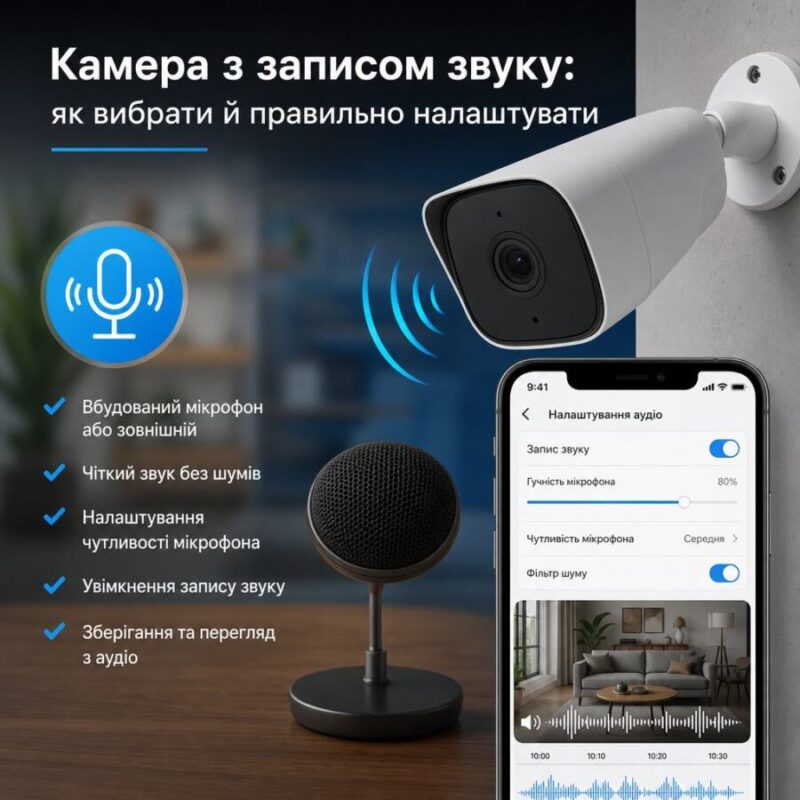
Audio recording is critically important in areas with an increased risk of conflict or where remote monitoring of events is required:
- Cashier areas and reception: Dome camera (for example, Hikvision DS-2CD2143G2-IU) clearly records the dialogue between the cashier and the customer, helping to resolve disputes over change or denomination of bills.
- Entrance group and gate of the house: The camera with active feedback allows you to talk to the courier or guest. Model Dahua DH-IPC-HFW3441TP-AS-P not only records sound, but also has powerful algorithms for filtering background street noise.
- Control of personnel in warehouses or production: Recording orders and conversations in shipping areas helps to monitor compliance with safety regulations.
If the system implements two-way audio communication in cameras, the device becomes a full-fledged communication tool. You can use your smartphone to warn an outsider on the territory or stop a pet that is ruining the furniture.
What are the types of cameras with a microphone and how do they differ?
The modern market offers three main configurations of audio systems in video surveillance. They differ both in their architecture and in the quality of the final signal.
| Audio system type | Popular models | Pros | Cons and nuances |
|---|---|---|---|
| Built-in microphone (IP PoE) | Hikvision DS-2CD2043G2-IU Dahua DH-IPC-HDW2431TP-AS | Simple installation with a single UTP cable, leakproof, does not require a separate power supply. | The zone of clear sensitivity is limited to 3–5 meters. Sensitive to strong gusts of wind. |
| External active microphone | Any camera with audio input (RCA/Jack 3.5) + MP-01 or Cocoon microphone | Can be placed directly above the workplace (e.g. above a conference table). Highest sound quality. | You need to run an additional power cable and signal wire to the microphone. |
| Two-way communication (Wi-Fi/PoE) | IMOU Ranger 2 (IPC-A22EP) Reolink RLC-511WA | Built-in speaker and microphone. Ability to talk via mobile app in real time. | The volume of the built-in speaker is usually average; the quality and stability of the Wi-Fi connection is critical. |
For standard street tasks, the optimal choice is outdoor ip camera with a microphone, where the microphone capsule is protected by a special water-repellent membrane.
What to look for when choosing: technical parameters without unnecessary theory
To make the investment in security justified, evaluate hardware according to specific criteria:
- Matrix resolution: Do not take cameras less than 4 MP (for example, the optimum is Dahua DH-IPC-HFW2431TP-AS-S2 at 4 Megapixels). If the picture is blurry, even a perfect voice recording will not allow you to identify the attacker.
- Power type: Priority for PoE (Power over Ethernet). Power and audio/video flow go through one twisted pair. If you use classic power 12V, buy units with a good linear noise filter (for example, pulsed power supplies from Full Energy), otherwise there will be a constant 50 Hz background in the speakers.
- Audio codecs: Check that the equipment supports the codec AAC or G.711. AAC provides a wider frequency range, making speech intelligible rather than robotic.
Planning cameras with recording If you are buying audio for commercial use, make sure that your video recorder (NVR) supports the Audio over Coaxial function (for analog) or correctly receives the audio stream via the RTSP protocol (for IP systems).
Correct sound setup: what to do after installation
Mounting the camera on the bracket is only half the battle. Be sure to access the device's web interface via a browser or application (SmartPSS / IVMS-4200) for fine-tuning:
- Enable the Video&Audio stream type: By default, many Hikvision/Dahua models have only "Video" set in the encoding settings. Without this checkmark, audio will not be recorded to the archive.
- Adjusting the Gain slider: Do not turn the sensitivity up to 100%. Indoors, this will lead to an echo effect and overload of the path from the slightest rustle. For a room of 20 sq.m., it is enough to set 60–70%.
- Activating the noise filter (Environmental Noise Filter): Enable this option if the camera is outdoors. It software cuts out the monotonous roar of the wind or low frequencies from passing cars.
Installation and safety errors that most often spoil the result
The main mistake is to install a camera with a built-in microphone directly near sources of constant noise: external air conditioner units, ventilation shafts, or under a metal roof visor. During rain, drops falling on the visor will create such a rumble that it will be impossible to hear anything else.
The second mistake is related to cable routing. Never run a signal cable (twisted pair) in the same box or close to 220V/380V power lines. Induction from electric current is guaranteed to "kill" the quality of the audio signal, causing strong crackling and squeaking. Use shielded FTP cable and ground the system.
Also, when choosing a microphone for an outdoor video surveillance system, make sure the junction box is airtight. Moisture getting on the audio input contacts will damage the sound card. cameras.
When is it better to get a separate microphone, and when is it better to get a camera with a built-in one?
The choice of architecture depends solely on the geometry of the room and the tasks:
Built-in microphone ideal for local areas with a radius of up to 4 meters. For example, the swivel home Wi-Fi model Ezviz C6N or domed Dahua IPC-HDW1230SP-A They will do great within a small office, above a standard cash register, or in the hallway in front of the door.
Separate active microphone triple if itself camera due to viewing angle requirements is mounted high (for example, on the ceiling of a 5-meter warehouse), and the conversations take place below near the ramp. In this case, take a camera with an audio input (for example, Hikvision DS-2CD2043G2-I — modification without the “U” index, but with audio connectors) and lower the active microphone on the microphone wire directly to the area of people's communication.
Practical conclusion
A camera with audio is a reliable security tool only if it is properly selected and positioned. For household tasks and small offices, choose proven IP models with a built-in microphone from Hikvision, Dahua or IMOU with PoE or Wi-Fi support.
Pay attention to the resolution of 4 MP or more, the compatibility of audio codecs and do not forget to switch the recording mode to “"Video + Audio” when you first start the system. Then your video surveillance will work on all 100%, capturing not only the picture, but also every important word.