
Useful tips
Video surveillance cameras in the apartment: a reliable choice for property protection


Video surveillance cameras in the apartment have long ceased to be a solution only for offices, warehouses or private houses. A modern home IP camera makes it possible to monitor the entrance door, corridor, children's room, places of access to valuables and even check whether everything is fine with pets. For many apartment owners, this is no longer an "excessive luxury", but a practical tool for protecting property and peace of mind.
The main value of such a system is not just video recording. It is important that the camera works stably, reacts correctly to movement, does not lose connection to the network, and allows you to quickly access the image from your phone. This is the ability connect the camera to the phone does video surveillance of the house is truly convenient: the owner sees events in real time, receives notifications and can react immediately.
But mistakes during selection and installation happen very often. They buy a camera only for the price, do not take into account the quality of night shooting, forget about stable power supply, place the device in a "blind" zone or do not configure access security. As a result, there is no protection, no normal archive, and no confidence that the system will help at the right time.
Below is a practical breakdown of how to choose cameras. video surveillance into an apartment, what to look for in the specifications, how to organize power and connection, and which solutions work best in real-life conditions.
Why does an apartment need video surveillance and what tasks does it actually solve?
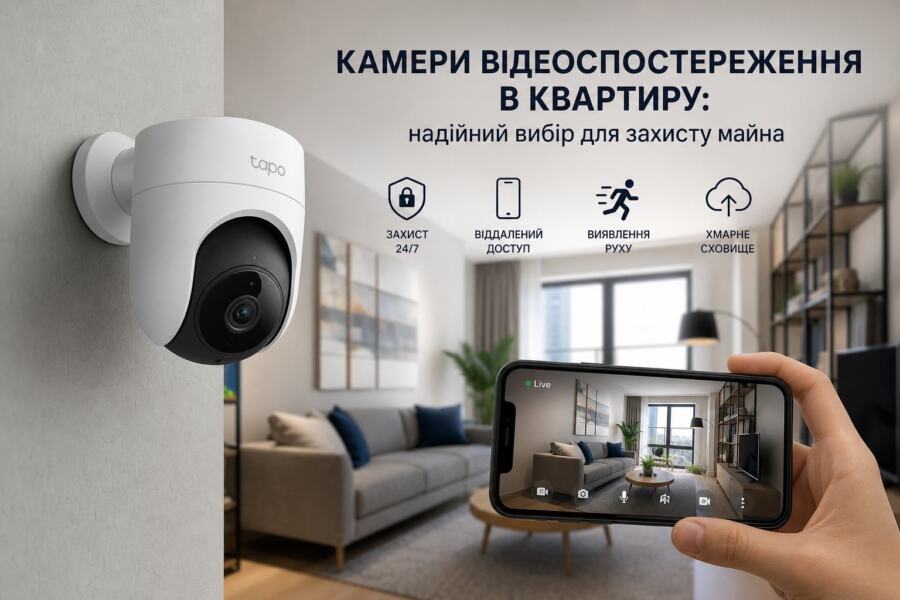
For the apartment camera is needed not only because of the risk of intrusion. In many cases, it helps to control related scenarios: who came in while you were away, or didn't open the door children, were there any strangers in the hallway, did the craftsmen leave a problem after the repair? Video surveillance of the house is especially useful in rented apartments, when it is important to have confirmation of the condition of the property.
The most typical installation location is the entrance area. Here, the camera records every movement near the door and allows you to record any attempt to pick keys, unauthorized access, or suspicious activity. If the camera has good night vision and motion detection, it works even when the lights in the hallway are off.
The second task is real-time notifications. It is convenient to see what is happening at home through your phone while you are at work or on vacation. It is important not only connect the camera to the phone, but also to properly configure push notifications so as not to receive dozens of false alarms due to a shadow, a cat, or open curtains.
In practice, a home IP camera is often used as a compact early response system. It does not replace the alarm, but complements it: the alarm notifies of an intrusion, and the camera provides visual confirmation of what exactly happened. This is especially important when you need to quickly assess the situation without unnecessary risk.
What camera parameters are critical for an apartment?
The first thing to look at is the resolution. For apartment video surveillance, the minimum acceptable level is Full HD 1920×1080. If the camera is far from the door or you need to recognize faces and small details, it is better to take 2K or 4MP-model. But simply high resolution does not guarantee quality: if the matrix is weak and the optics are cheap, the picture will still be "soapy".
The second important parameter is the viewing angle. In a small hallway, a lens that is too narrow will create blind spots, and one that is too wide can distort faces. For an apartment, the optimal angle is often 110–140°, depending on the layout. This is usually sufficient to control the door and part of the hallway.
The third point is night vision. In reality, most incidents occur in the dark, so the infrared backlight must be effective. If the manufacturer promises 10–15 meters, this is enough for a room or corridor, but not for a large hall. It is good if the camera supports low-light mode or color night vision, if there is at least minimal light in the room.
The method of storing the archive is no less important. The most convenient option for an apartment is recording to a memory card or to the cloud with backup. If you need to store recordings for a longer period of time, you should look at cameras with NAS support or a local DVR. For a simple household scenario, a microSD card is often enough. 64–256 GB, but it is advisable to take models designed specifically for continuous video recording.
Evaluate the quality of the microphone and speaker separately. Two-way audio is useful when you need to talk to a courier, warn a guest, or get a child's attention. But in cheap models, the microphone often picks up noise, and the speaker is quiet, so it's better to check this parameter based on reviews and real tests.
Comparison of types of cameras for an apartment
Before buying, it is worth understanding which format of the device is really suitable for your task. In an apartment there is no need for bulky street solutions with a large body and strong protection from atmospheric influences. But compactness, quiet operation, easy setup, and the ability to integrate with a smartphone are important.
| Camera type | Advantages | Disadvantages | When to choose |
| Home IP Wi-Fi camera | Easy installation, viewing from a smartphone, often with motion detection and cloud access | Dependent on Wi-Fi quality, requires proper security settings | For most apartments where a quick start is needed without complicated installation |
| Wired IP camera | More stable channel, less risk of losing connection, better for continuous recording | More complicated cable routing, less mobile solution | When you need maximum control and reliability |
| Camera with battery | Does not depend on a permanent outlet, easy to move | Limited operating time, not suitable for continuous monitoring | For temporary control or areas without power |
| PTZ camera | Pan, tilt, zoom, convenient for viewing a large room | More expensive, more difficult to set up, sometimes noticeable mechanical noises | For large spaces or when multiple areas need to be inspected |
For a typical apartment, a compact Wi-Fi IP model is often sufficient. However, if you need the most predictable video surveillance of your home, for example, in a large apartment or in a home with constantly valuable property, a wired scheme will be more reliable.
How to properly connect the camera to your phone and not lose access
That connect the camera to the phone, usually use the manufacturer's proprietary application. The algorithm is almost always similar: the camera is connected to power, then to the home Wi-Fi network or via a cable, after which a QR code is scanned or added via the serial number. At first glance, it's simple, but this is where users often make mistakes.
The first common mistake is connecting only to a 2.4 GHz network when the router is in mixed mode. Many home IP cameras do not support 5 GHz, so you need to check compatibility right away. The second mistake is a weak signal at the installation point. If the phone sees Wi-Fi for 1-2 divisions, the camera may lose connection, especially when transmitting HD video.
Practical advice: test the installation location before final mounting. Place the camera on a temporary stand, check the signal quality, image delay, reaction to motion and night mode operation. In an apartment with concrete walls, it happens that Wi-Fi is stable in one room, but not in the corridor. In this case, a mesh system or an access point closer to the camera helps.
For security reasons, do not leave the default password, especially if the camera is accessible from the Internet. The password should be unique, long, and complex. It is also important to enable two-factor authentication if available, and to update the firmware regularly. It is a weak password and outdated software that are most often the cause of unauthorized access.
Another important detail is access for multiple users. If the camera should only be visible to the owner, do not distribute the account to all family members. It is better to create separate permissions in the application, if the system supports it. This way you will maintain control over who has the right to change settings or view the archive.
Power supply, backup and operation during power outages
For cameras in the apartment, the issue of power supply underestimated very often. Most home IP cameras operate from 5 V via adapter or from 12 V, if it is a model with a separate power supply. If there are power outages in the house, the camera along with the router must be under backup power, otherwise remote access will simply disappear.
The most common mistake is to connect the camera to the UPS, but forget about the router and ONU/GPON terminal. As a result, the camera seems to be requested, but there is no connection to the phone. For normal video surveillance of the house, it is advisable to reserve the entire chain: camera + router + internet equipment. Only then will you retain access to both local recording and online viewing.
In practice, for one or two cameras in an apartment, a compact low-power UPS or a battery backup solution is suitable. If a router, switch and several other devices are added to the system, it is better to calculate the real load. For example, a camera consumes 4–8 W, a router — 8–15 W, an optical terminal — 5–10 W. Together, this already results in a noticeable load, and the power reserve should be at least 20–30%.
In apartments with frequent power outages, it is also worth paying attention to cameras with local recording. If the Internet disappears, but the power from the backup source remains, the archive on the memory card will save the events. After the connection is restored, the recordings can be viewed in the application or downloaded separately.
Where to mount the camera to get the most benefit
The most effective point for an apartment is the area where the camera sees a person's face before they walk into the room. That is, not high in the corner "for a tick", but taking into account the trajectory of movement. The optimal mounting height is often approximately 2.2–2.5 m, but it depends on the viewing angle and what exactly you want to see.
You shouldn’t install the camera directly in front of a window if there is bright light. Backlighting will ruin the picture and make faces look dark. It’s better to move the device so that the main light source is to the side or behind the camera. This is especially important for a hallway: just one bad angle and important details will be lost.
A common mistake is to place the camera too low. In this case, it is easy to cover it with your hand, and the view is narrowed. Placing it too high is also not ideal: you will see the general movement, but you will not be able to see the face properly. Balance is more important here than any «comfortable» point that a person has chosen just for aesthetics.
If the camera is used to monitor children or pets, it makes sense to choose a rotating model or install two fixed viewing points. This way you will capture not only the door, but also the area where most movement occurs. For a two-room apartment, sometimes two cameras are enough: one for the entrance, the second for the common room or children's room.
Typical errors in selection and operation
The first mistake is buying a camera without checking the application.
Even good hardware can be inconvenient if the program is slow, unstable, or does not support the necessary functions. Before buying, it is worth checking whether there is a normal archive viewing, notifications, recording to the cloud, and fast connect the camera to the phone without complicated dances with settings.
The second mistake is to ignore the quality of the network.
People often blame the camera, when in reality the problem is the router, weak signal or a congested channel. If there are many wireless devices in the apartment, the camera may be losing packets. In this case, moving the router, changing to a different channel or connecting it wired will help.
The third mistake is to rely only on the cloud without local duplication.
Cloud service is useful, but it depends on a stable Internet connection and the performance of the service's servers. If the network disappears, the Internet provider carries out technical work, or attackers intentionally damage the cable, the cloud will become helpless. A reliable option is to choose devices with combined storage that simultaneously record the archive to a memory card (MicroSD) or a local video recorder (NVR). This ensures that an important moment will not be lost due to a temporary connection failure.
The fourth mistake is poor placement and ignoring lighting zones.
Often the camera is hung in such a way that direct sunlight, a bright lamp or a wall that is too close to the camera gets into the frame, which at night reflects the infrared illumination and simply «blinds» the lens. Before fixing the mount, it is worth testing the image in real conditions, day and night. This will help to avoid blind spots and make sure that faces or license plates remain clear in any lighting.
Mistake Five: Neglecting Basic Cybersecurity
Leaving the factory default password (like admin or 12345) is an open invitation for unauthorized parties to gain access to your private life. Immediately after connecting the camera to your phone for the first time, be sure to change the default password to a complex one and, if available, enable two-factor authentication in the app.